
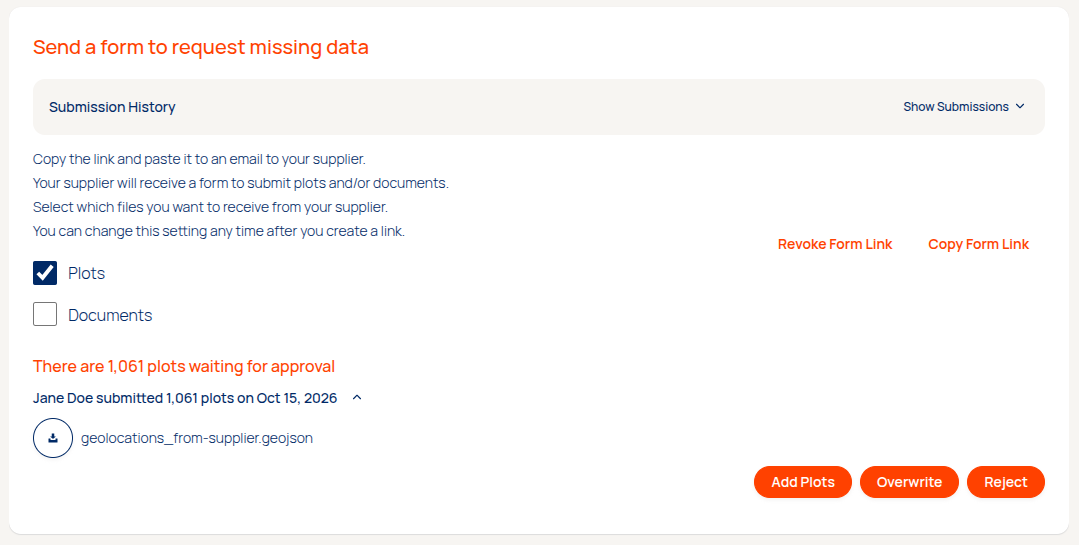
Instead of uploading data yourself, you can also choose to request geolocation data and/or documentation directly from your suppliers. For this you can use the so-called supplier forms in the Data Manager > Suppliers section of the app. After selecting a supplier, you will see a section in the top allows you to select whether plots and/or other documents need to be requested from a supplier.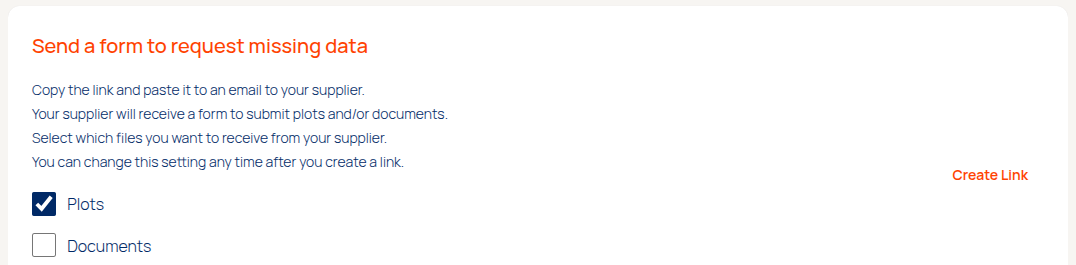
Sharing data requests with your suppliers
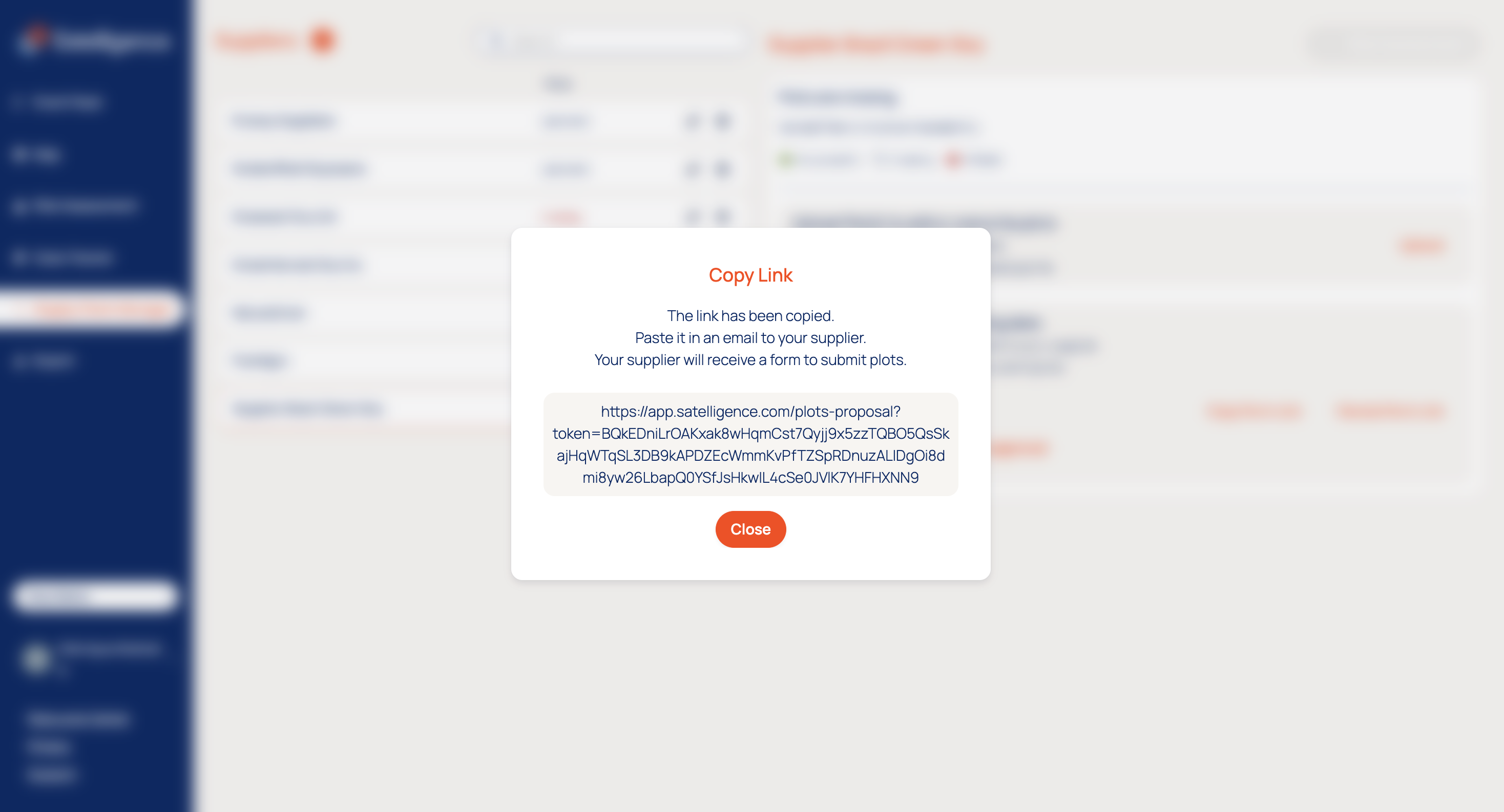
By clicking "Create Link" a unique secret link can be generated per supplier. This link can then be copied and shared directly with suppliers via any preferred communication channel.
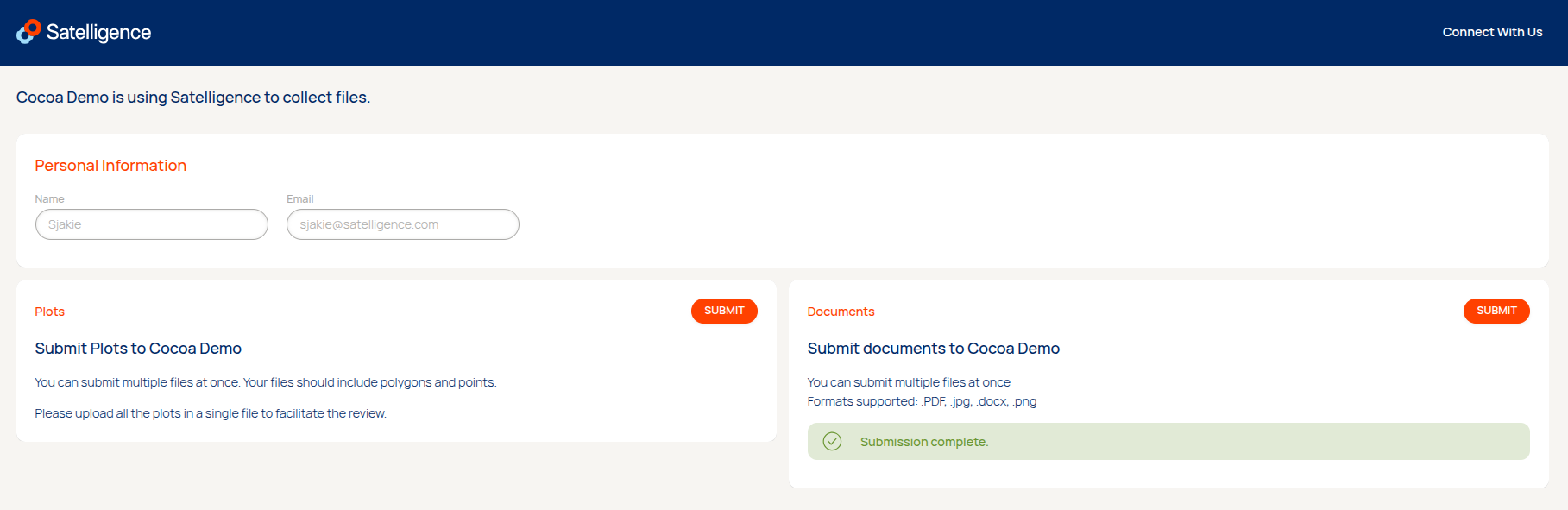
After the request is shared, suppliers can follow the link to arrive at a page with the standard plot or documentation upload interface used in the platform.
Plots
Any errors that occur will be blocked by default and cannot be skipped, to avoid situations where submitted information is deliberately incomplete when uploaded to your projects. Similar to direct users of the platform, any errors can be downloaded in CSV or GeoJSON format for data cleaning purposes.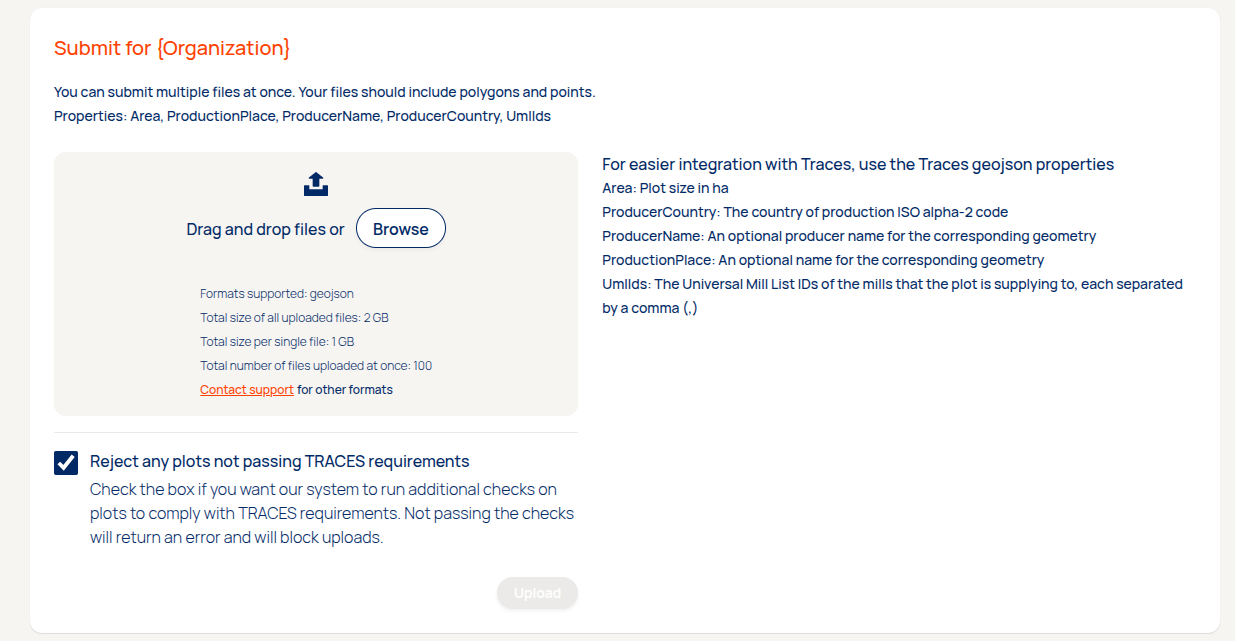
You will receive an email when the supplier successfully shares plots with you.
When suppliers have questions about the file upload, the documentation on the Satelligence resource center can be shared with them.
Reviewing and accepting uploaded plots
After plots have been uploaded by a supplier the file has passed the validation checks that are embedded in the platform. The user who created the link for the supplier receives an email on successful submission of new data by a supplier. The file will be available for download to allow a review of the data. To finish the process the plots need to be accepted to overwrite or be added to the existing supply chain dataset.
Documents
You can now request and collect supplementary supplier documentation directly through the platform, streamlining your EUDR legal due diligence or other necessary documents alongside your standard traceability data. This can be helpful in closing gaps in the due diligence process by gathering policies, permits or contracts to cover all legal bases regarding or simply to fulfill an internal protocol on amending supplier information.
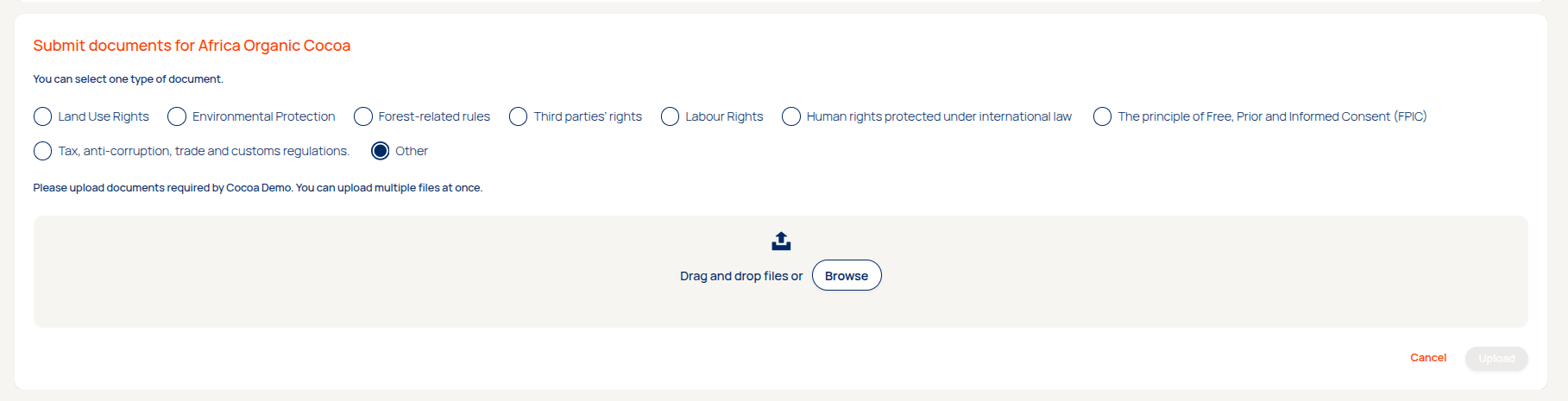
When users select the section for uploading documentation, they will be presented with a few options on what document type they are uploading. Only one category can be selected at a time, but multiple files can be uploaded for that selected category at once. The supported file types are PDF, DOCX, JPEG and PNG.
How to access the files
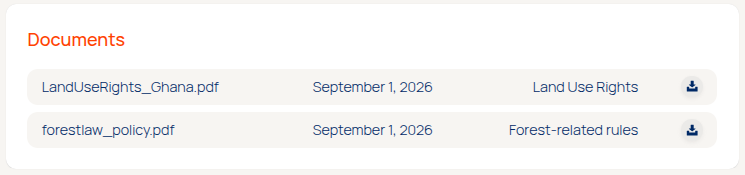
When documents are submitted by the supplier, they will appear under the new section in Risk Assessment > Supplier.
Important to note: The platform provides secure, long-term file storage, but does not automatically verify file contents or category accuracy. Users remain responsible for reviewing submitted documents for compliance.
Disabling uploads or revoking a link
After all the necessary data has been received from a supplier, it is recommended to uncheck the requested data types. This will disable the option for suppliers to submit new data, while keeping the URL active and intact for future use.
If no future submissions are anticipated, a shared link can be revoked entirely. This means the url will be disabled and cannot be reused at a later stage. However, a new unique URL can always be requested afterwards.